

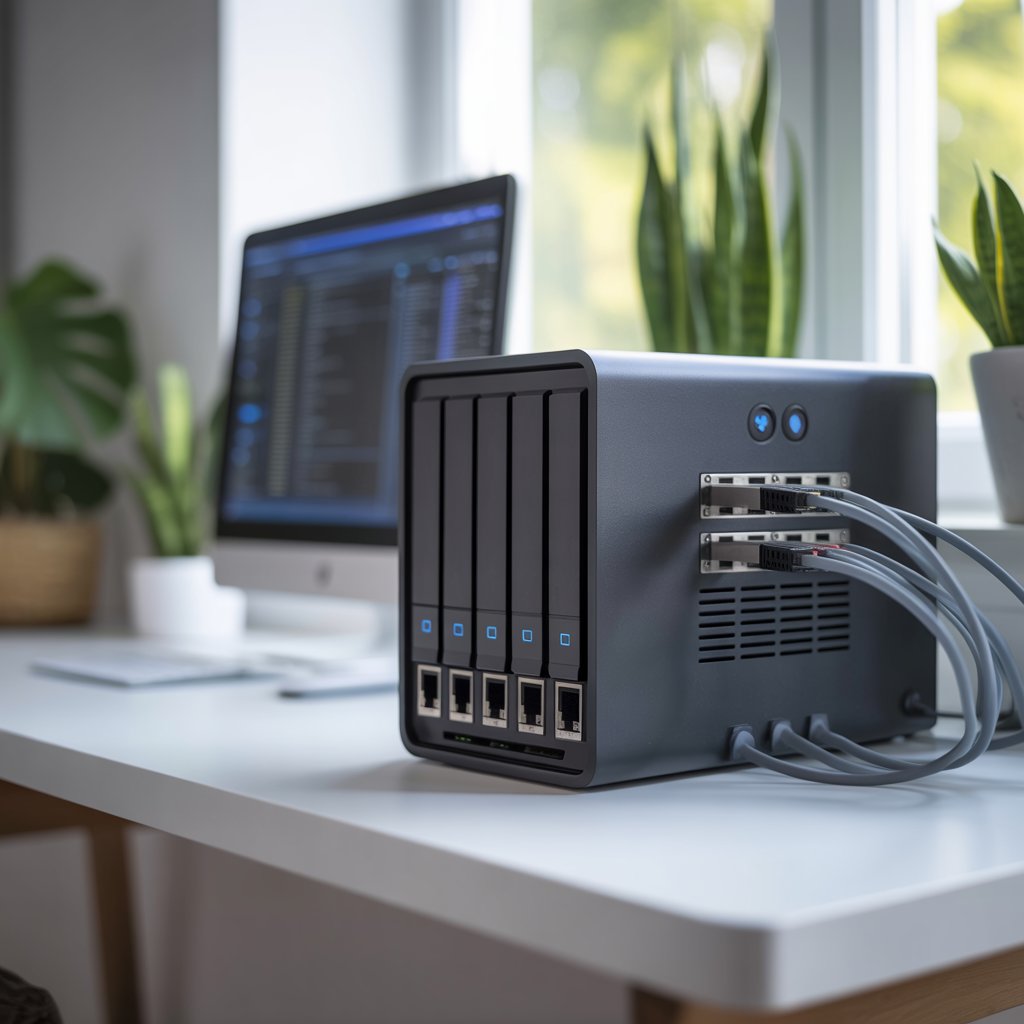
Running out of storage space is a common problem today. Photos, videos, work files, smart TVs, gaming consoles, and home security footage quickly fill laptops and external drives. That’s why more people are turning to NAS storage for home setups.
A home NAS gives you a private cloud system inside your house. Instead of relying only on online storage services, you can safely store, stream, share, and back up files from one central location.
In this guide, you’ll learn what NAS storage is, how it works, who should use it, and how to choose the right setup for your needs in 2026.
What Is NAS Storage for Home?
NAS stands for Network Attached Storage. It is a storage device connected to your home Wi-Fi or router that allows multiple devices to access files from one location.
Think of it as your personal cloud server.
With NAS storage for home, you can:
- Store family photos and videos
- Back up laptops and phones
- Stream movies to smart TVs
- Share files between devices
- Run media servers
- Access files remotely
Unlike external hard drives, a NAS system stays connected to your network all the time.
Why Home Users Are Switching to NAS Storage
Cloud services are convenient, but monthly subscription costs keep growing. Many users also want more control over privacy and storage limits.
A home NAS system solves these problems.
Main Benefits of NAS Storage for Home
Centralized Storage
Instead of files being scattered across phones, USB drives, and laptops, everything stays in one place.
Automatic Backup
Most NAS devices can automatically back up:
- Windows PCs
- Mac computers
- Android phones
- iPhones
- Tablets
Remote Access
Modern NAS systems allow secure access from anywhere through mobile apps or browsers.
Better Privacy
Your files stay under your control instead of being stored entirely on third-party cloud platforms.
Media Streaming
You can stream movies, music, and TV shows directly to:
- Smart TVs
- Gaming consoles
- Tablets
- Streaming boxes
Expandable Storage
Need more space later? Most NAS devices allow additional drives or storage upgrades.
How NAS Storage Works
A NAS device contains one or more hard drives connected to your network.
When connected to your router:
- The NAS creates shared storage
- Devices on the network can access files
- User permissions can be customized
- Backup and syncing happen automatically
Many modern NAS systems also include apps for:
- Photo organization
- Media streaming
- File syncing
- Surveillance cameras
- Cloud backups
Types of NAS Storage for Home Users
Choosing the right NAS depends on your storage needs and budget.
Single-Bay NAS
A single-bay NAS contains one hard drive.
Best For:
- Basic backups
- Small households
- Beginners
- Budget users
Pros:
- Affordable
- Easy setup
- Low power consumption
Cons:
- No drive redundancy
- Higher risk if the drive fails
Two-Bay NAS
This is the most popular NAS storage option for home users.
It contains two hard drives that can work together using RAID protection.
Best For:
- Families
- Media streaming
- Home offices
- Photo backups
Benefits:
- Better performance
- Drive redundancy
- More storage flexibility
Four-Bay NAS and Higher
These systems are designed for advanced users.
Ideal For:
- Large media libraries
- 4K video collections
- Small businesses use
- Heavy backups
Advantages:
- Massive storage capacity
- Faster speeds
- Better RAID options
Understanding RAID in Home NAS Systems
RAID stands for Redundant Array of Independent Disks.
It helps protect your data if a hard drive fails.
Common RAID Types
RAID 1
Two drives mirror each other.
If one drive fails, your data still exists on the second drive.
RAID 5
Requires at least three drives.
Offers a balance between storage efficiency and protection.
RAID 0
Combines drives for speed but provides no backup protection.
Not recommended for important files.
Best Uses for NAS Storage at Home
A NAS device can do much more than simple file storage.
Home Media Server
Many people use NAS systems to create a personal Netflix-style library.
Popular apps include:
- Plex
- Jellyfin
- Emby
This lets you stream movies and TV shows across your home.
Family Photo Backup
Phone storage fills quickly with photos and videos.
A NAS can automatically upload and organize media from every family member’s phone.
Smart Home Surveillance
Many NAS devices support IP security cameras.
You can record footage locally without paying monthly cloud storage fees.
Work From Home File Access
Remote workers often use NAS storage for:
- File syncing
- Shared folders
- Project backups
- Secure remote access
Gaming, Storage, and Backups
Gamers use NAS systems to:
- Store gameplay recordings
- Back up game files
- Share media across devices
How Much Storage Do You Need?
Choosing the right capacity is important.
Recommended NAS Storage Sizes
| User Type | Suggested Storage |
|---|---|
| Basic users | 2TB–4TB |
| Families | 4TB–8TB |
| Media collectors | 8TB–20TB |
| Video creators | 20TB+ |
Always plan for future growth.
Photos and videos take up much more space than documents.
SSD vs HDD for NAS Storage
HDD (Hard Disk Drive)
Most home NAS systems use HDDs because they are cheaper and offer larger capacities.
Best For:
- Media storage
- Backups
- Large archives
SSD (Solid State Drive)
SSDs are much faster but cost more.
Best For:
- Fast file transfers
- Video editing
- Performance-heavy tasks
Many advanced NAS devices use SSD caching to improve performance.
Important Features to Look For
Not all NAS devices are the same.
Easy Operating System
Choose a NAS with beginner-friendly software.
A clean interface makes setup easier.
Mobile Apps
Good NAS apps should allow:
- File uploads
- Photo backup
- Remote streaming
- Notifications
Security Features
Strong security matters for NAS storage in home environments.
Look for:
- Two-factor authentication
- Encrypted connections
- Automatic updates
- Firewall protection
Backup Tools
Reliable backup options are essential.
The best NAS systems support:
- Scheduled backups
- Cloud sync
- External drive backups
- Snapshot recovery
Energy Efficiency
NAS systems often run 24/7.
Energy-efficient hardware reduces electricity costs.
Common NAS Mistakes to Avoid
Many beginners make avoidable errors.
Using NAS Without Backup
RAID is not a full backup.
Always keep another copy of important files.
Buying Too Little Storage
Users often underestimate future storage needs.
Choose a scalable system.
Ignoring Security Settings
Weak passwords and outdated firmware create risks.
Enable automatic updates and strong login protection.
Using Cheap Drives
Regular desktop drives may fail faster in NAS environments.
NAS-optimized drives are more reliable for continuous use.
Is NAS Better Than Cloud Storage?
Both options have advantages.
NAS Storage Advantages
- No monthly fees
- Better privacy
- Faster local transfers
- More storage control
Cloud Storage Advantages
- Accessible anywhere
- No hardware maintenance
- Easier for beginners
Best Solution: Hybrid Storage
Many users combine NAS and cloud backups for maximum protection.
How to Set Up NAS Storage for Home
The setup process is easier than most people expect.
Basic Setup Steps
1. Install Hard Drives
Insert compatible NAS drives into the device.
2. Connect to the router
Use an Ethernet cable for stable performance.
3. Install NAS Software
Most systems guide users through setup automatically.
4. Create User Accounts
Set permissions for family members or devices.
5. Configure Backups
Enable automatic backups for phones and computers.
6. Enable Remote Access
Use secure remote login features carefully.
Who Should Buy a Home NAS?
NAS storage for home users is ideal for people who:
- Store large photo libraries
- Download movies and media
- Work remotely
- Want private cloud storage
- Need automatic backups
- Use multiple devices daily
It may not be necessary for users with minimal storage needs.
Future Trends in Home NAS Systems
Home NAS technology continues to improve rapidly.
AI-Powered Photo Organization
Modern NAS software can now recognize faces, locations, and objects in photos.
Faster Networking
2.5GbE and 10GbE networking are becoming more affordable for home users.
Better Mobile Integration
New NAS apps make remote access easier than ever.
Energy-Efficient Hardware
New systems consume less power while delivering better performance.
FAQs About NAS Storage for Home
What does NAS mean in storage?
NAS stands for Network Attached Storage. It is a device connected to a network that stores and shares files between devices.
Is NAS storage safe for home use?
Yes. Modern NAS systems include encryption, user permissions, and backup features for strong data protection.
Can I use NAS without the internet?
Yes. A NAS works on your local network even without internet access.
How long do NAS drives last?
Most NAS hard drives last between 3 and 5 years, depending on usage and drive quality.
Is NAS better than an external hard drive?
A NAS offers remote access, automatic backups, and multi-device sharing, which external drives usually cannot provide.
Can I stream movies from a NAS?
Yes. Many users run media servers like Plex on their NAS devices for movie and TV streaming.
Conclusion
NAS storage for home users has become one of the smartest ways to manage digital files in 2026. It combines backup protection, private cloud storage, media streaming, and remote access into one powerful system.
Whether you want to protect family photos, stream movies, or organize work files, a NAS can simplify your digital life while giving you more control over your data.
Start by choosing the right storage size, focus on backup protection, and invest in reliable drives. A properly configured home NAS system can serve your household for many years.
